
Stripe Affiliate Program Software: How to Track SaaS Referrals
S
By Sophie
Partner program operations contributor
Published November 5, 2026 · Last updated November 10, 2026
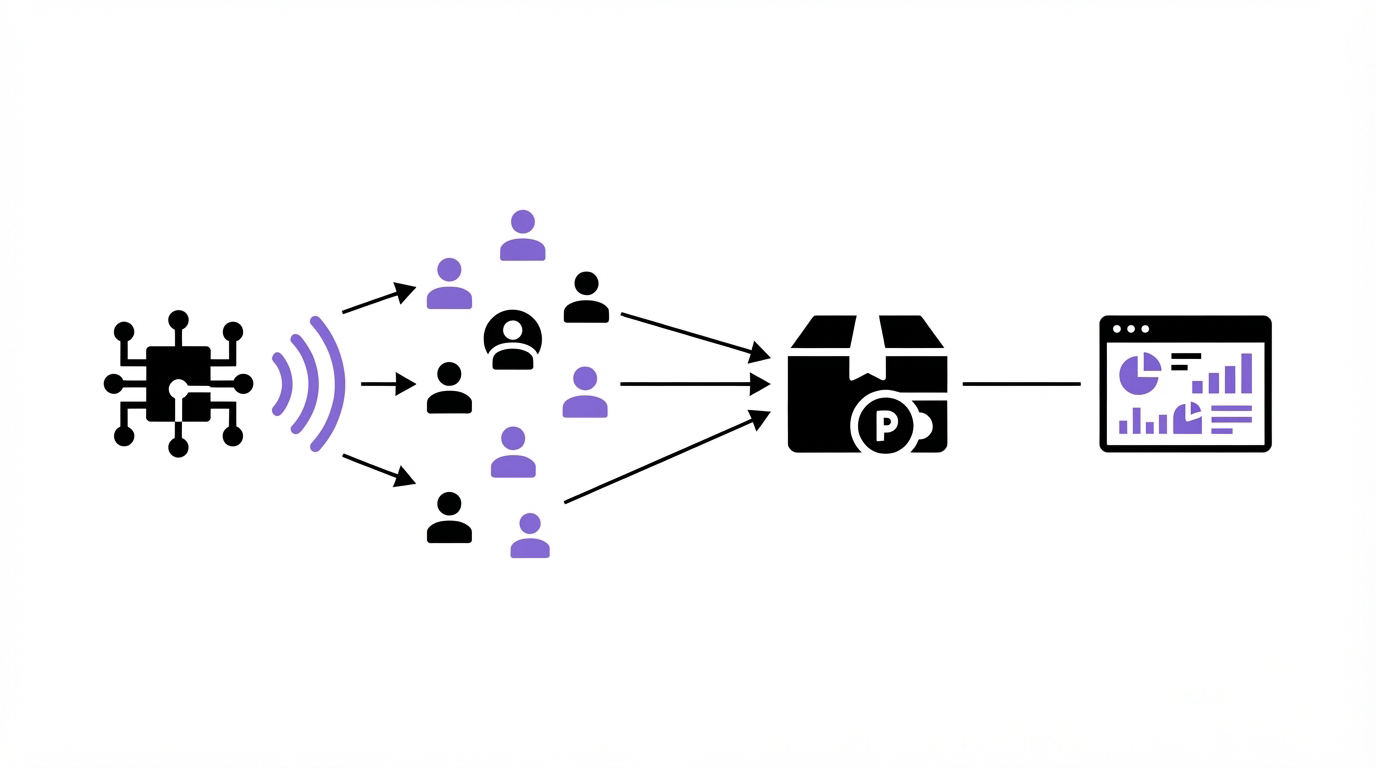
By Sophie
A referred visitor can click an affiliate link on Monday, start a trial on Wednesday, and pay for a subscription weeks later. If the referral identifier disappears between those events, the commission record becomes a manual dispute.
ReferClaw is built around this Stripe-based referral workflow: preserve the attribution record from the first click through subscription revenue, then apply the program’s commission rules.
Quick answer: how to track SaaS referrals with Stripe
Use this workflow to set up Stripe affiliate program software for a SaaS business:
- Define the commission trigger, attribution window, eligible plans, and recurring period before inviting affiliates.
- Give each affiliate a unique referral link and store its identifier when a visitor arrives.
- Pass the identifier through signup and connect it to the SaaS account, Stripe customer, and subscription record.
- Process successful Stripe subscription payments as the source event for commission creation.
- Apply refund, cancellation, plan-change, and attribution-window rules before approving a commission.
- Reconcile referral records against Stripe events regularly and investigate any unmatched subscriptions.
The implementation succeeds when the referral ID remains connected to a durable billing identifier. A browser cookie alone leaves too many gaps for a SaaS sales cycle.
How Stripe affiliate tracking works for SaaS referrals
Stripe records customers, subscriptions, invoices, and payments. Your referral workflow supplies the relationship between an affiliate and the customer who later creates those Stripe records.
A reliable data chain has four links:
| Workflow stage | Record to retain | Stripe-related identifier | Why it is needed |
|---|---|---|---|
| Affiliate click | Referral code, click time, landing URL | None yet | Establishes the candidate referrer and attribution window |
| SaaS signup | Referral code and application user or workspace ID | None yet | Keeps attribution after the browser session ends |
| Paid conversion | Application account and referral record | Stripe customer ID and subscription ID | Connects the customer to recurring billing |
| Renewal or refund | Commission status and eligible revenue | Stripe invoice ID and payment event | Calculates recurring commission and handles reversals |
Consider a hypothetical analytics SaaS with a pricing page at app.example.com/pricing. Its affiliate links use URLs such as app.example.com/pricing?ref=maya-28. The program offers a 20% commission on successful subscription payments for the first 12 months, with a 90-day attribution window.
When a visitor follows Maya’s link, the application records maya-28, the landing page, and the click timestamp. The visitor creates a workspace nine days later. The signup endpoint writes the referral code to the workspace record. When that workspace starts a subscription, the backend links the workspace to its Stripe customer and subscription IDs.
The first invoice succeeds. The referral system now has enough information to create an eligible commission: the affiliate ID, customer, subscription, invoice, paid amount, and commission rule. Each later successful invoice can use the same customer-to-affiliate relationship until the 12-month commission period ends.
A frequent failure appears when the code exists only in a client-side cookie. A visitor may switch devices, clear browser storage, use a sales-assisted checkout, or begin on one browser and pay from another. Save attribution on the server as soon as the visitor identifies themselves.
Set attribution rules before you connect Stripe
Attribution rules decide who receives credit when real customer journeys become messy. Write these rules into the program terms and configure the same logic in the tracking system.
Start with the attribution window. A 30-day window suits a short self-serve purchase path. A 90-day window often fits a SaaS trial or internal approval process. Longer windows can suit products with a considered evaluation cycle, although they increase overlap between partners.
Next, choose the crediting model. Last-touch attribution is common because it is easy to explain: the most recent eligible referral click before signup receives credit. First-touch attribution rewards the partner who started the relationship. Either model needs an explicit rule for direct referrals, existing leads, and manual sales entries.
For the analytics SaaS example, the following decisions prevent predictable disputes:
- Credit the latest eligible referral click before workspace creation.
- Preserve attribution for 90 days after the click.
- Exclude workspaces that existed before the tracked click.
- Start commission eligibility after a successful paid invoice.
- End recurring eligibility 12 months after the first successful invoice.
Affiliate links should carry a referral code that your application can validate. Capture it on the landing page, retain it through registration, and attach it to the account record before checkout begins. Record the original click timestamp and the attribution decision as separate fields. That audit trail explains why a particular partner received credit.
Where consent rules apply, obtain the required consent before placing or reading non-essential tracking storage. Keep the source of the attribution in your own system as well, since consented browser data can still disappear before signup.
For a broader planning checklist, see How to Start an Affiliate Program for SaaS.
Connect referral attribution to Stripe customers and subscriptions
The key implementation decision is where the referral relationship becomes permanent. Make that transition at signup or account creation, then link the application account to Stripe as billing begins.
Store at least these fields in your application or referral system: affiliate ID, referral code, click timestamp, attributed account ID, Stripe customer ID, Stripe subscription ID, first paid invoice date, and commission end date. Retain the Stripe invoice ID on each commission entry as well.
Stripe Checkout can support this handoff when your server creates the Checkout Session and maintains the referral mapping. Stripe’s Checkout Session documentation covers fields such as client_reference_id and metadata that can help your backend associate a completed session with an internal record. Use server-side webhook handling to finalize the association after Stripe confirms the event.
For subscriptions created through your own billing flow, create or retrieve the Stripe customer for the already-attributed SaaS account. Save the resulting Stripe customer and subscription IDs beside the referral record. This approach also covers upgrades, downgrades, and renewals because the billing relationship remains available after the initial checkout.
Avoid crediting a commission from a front-end success page. Visitors can close that page, return later, or reach it without a completed payment. Use Stripe’s signed webhooks and verify events server-side. Stripe explains webhook verification and endpoint handling in its webhook documentation.
The example SaaS makes this concrete. Its visitor signed up from maya-28, so workspace wk_4821 already has Maya’s affiliate ID. At subscription creation, the system records Stripe customer cus_example and subscription sub_example against that workspace. When Stripe confirms a paid invoice, the system can find the affiliate without guessing from an email address or a URL parameter.
Track recurring commissions from successful Stripe payments
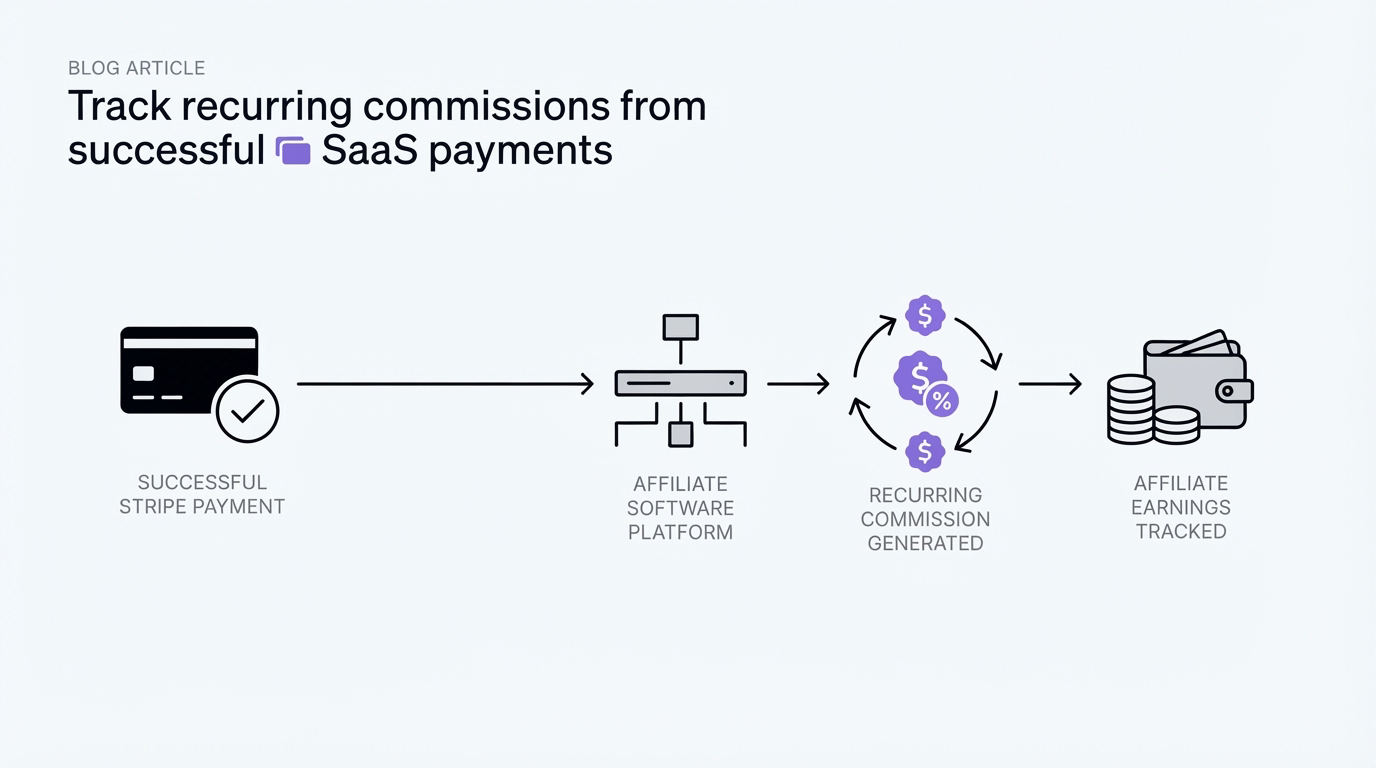
Recurring commissions need a clear revenue basis. Many SaaS programs use the successfully paid subscription invoice amount, then apply the agreed commission percentage. The program terms should state how discounts, account credits, taxes, refunds, chargebacks, and failed payments affect eligibility.
A practical sequence is to listen for the Stripe event that confirms the invoice has been paid, look up the subscription and attributed customer, and create a pending commission if the payment falls within the approved commission period. Stripe’s subscription webhook guide describes the subscription and invoice events used to manage recurring billing states.
For the example program, a successful payment during months one through 12 creates a pending 20% commission. A failed renewal creates no commission. A refunded invoice needs a reversal rule, such as cancelling a pending commission or recording an adjustment after a commission was approved.
Plan changes require a decision too. If the customer upgrades from a $79 plan to a $149 plan, decide whether the percentage applies to the actual paid invoice amount. This method is usually easier to audit than assigning a fixed amount per plan, especially when customers have prorations or discounts.
Set a commission approval delay that matches your refund exposure. Keep the payment event, invoice ID, invoice amount, applied rule, and resulting commission calculation together. Finance teams can then reconcile a payout decision without reconstructing the customer journey from scattered tools.
How ReferClaw reduces the manual Stripe referral workflow
A spreadsheet can hold referral codes and invoice exports for an early program. It becomes fragile once affiliates, recurring billing, refunds, and multiple plans create exceptions. ReferClaw keeps the referral workflow focused on the records that determine credit and commission eligibility.
Start by setting up the program terms: choose the attribution window, define the commission percentage, and establish the recurring commission period. Those settings turn the commercial agreement into a rule set used consistently for each referral.
Next, provide partners with their referral links and direct traffic to the intended SaaS landing page. The referral identifier gives the system a way to associate an eventual signup with the partner who referred it.
When the visitor becomes a customer, link the attribution record to Stripe billing. From there, successful subscription payments can be evaluated against the program rules for recurring commissions. The saved relationship between referral, customer, and subscription is the operational record teams need when a partner asks how a commission was calculated.
This setup reduces the repeated work of joining referral exports to Stripe invoices by hand. It also makes it easier to review edge cases before money is approved, including refunds, subscriptions outside the attribution window, and customers who were already in the product.
Teams evaluating approaches can also review ReferClaw’s comparisons with Tolt and Rewardful. Match the tool to the attribution and recurring-revenue rules you actually intend to operate.
Test the Stripe affiliate program before inviting partners
Run test scenarios before launching publicly. Create a test referral link, use a fresh browser profile, sign up, start a subscription, and inspect the referral and billing records at every stage. Then repeat the process with the failure cases that drive support tickets.
Test an expired referral window, a customer who signs up without a referral link, a second affiliate click, a trial that never converts, a failed renewal, a refund, and a plan change. Confirm that each case results in the intended attribution and commission outcome.
For the analytics SaaS example, one test exposed a gap: the visitor clicked Maya’s link on mobile, then completed signup from a desktop email invitation. The team added server-side referral capture at the trial request stage, which preserved the relationship before the invitation flow began.
Reconcile the first few real conversions manually. Compare the affiliate record with the Stripe customer, subscription, and paid invoice IDs. Correcting a mapping rule early is far easier than retroactively repairing a large commission ledger.
For a feature and setup review before selecting a platform, read SaaS Affiliate Program Software: Features, Costs, and Setup.
FAQ about Stripe affiliate program software
Can Stripe track affiliate referrals by itself?
Stripe provides the billing events and identifiers needed to confirm subscription revenue. A referral system captures the affiliate link, applies attribution rules, and associates the customer with the referring partner before payment. Together, these records support an auditable commission workflow.
Which Stripe event should trigger a recurring affiliate commission?
Use a server-verified event that confirms the subscription invoice has been paid, then check that the customer has a valid attribution record and remains inside the commission period. Build separate handling for refunds and payment reversals according to your program terms.
How long should SaaS affiliate commissions recur?
Choose a period that fits your margins, retention expectations, and partner acquisition strategy. Common structures include a fixed number of months or the customer’s active lifetime. A fixed period is usually simpler to forecast and explain, while lifetime arrangements require durable rules for refunds, cancellations, and plan changes.
What happens when two affiliates refer the same SaaS customer?
Apply the published attribution model. Last-touch programs credit the latest eligible referral before signup, while first-touch programs retain the earliest eligible source. Keep click timestamps and the decision record so your team can explain the result.
Do I need to send affiliate payouts through Stripe?
Your commission tracking workflow and payout method can be handled as separate operating decisions. First establish accurate attribution, paid-revenue events, approval timing, and reversals. Then choose a payout process that fits your finance controls and partner locations.
A SaaS business ready to run recurring affiliate commissions should implement the referral-to-customer mapping first, then connect that record to Stripe subscription revenue. ReferClaw provides a focused route for teams that want to operate that workflow without maintaining the attribution ledger by hand. Read next: SaaS Referral Program Software: Affiliate vs Customer Referral Programs.